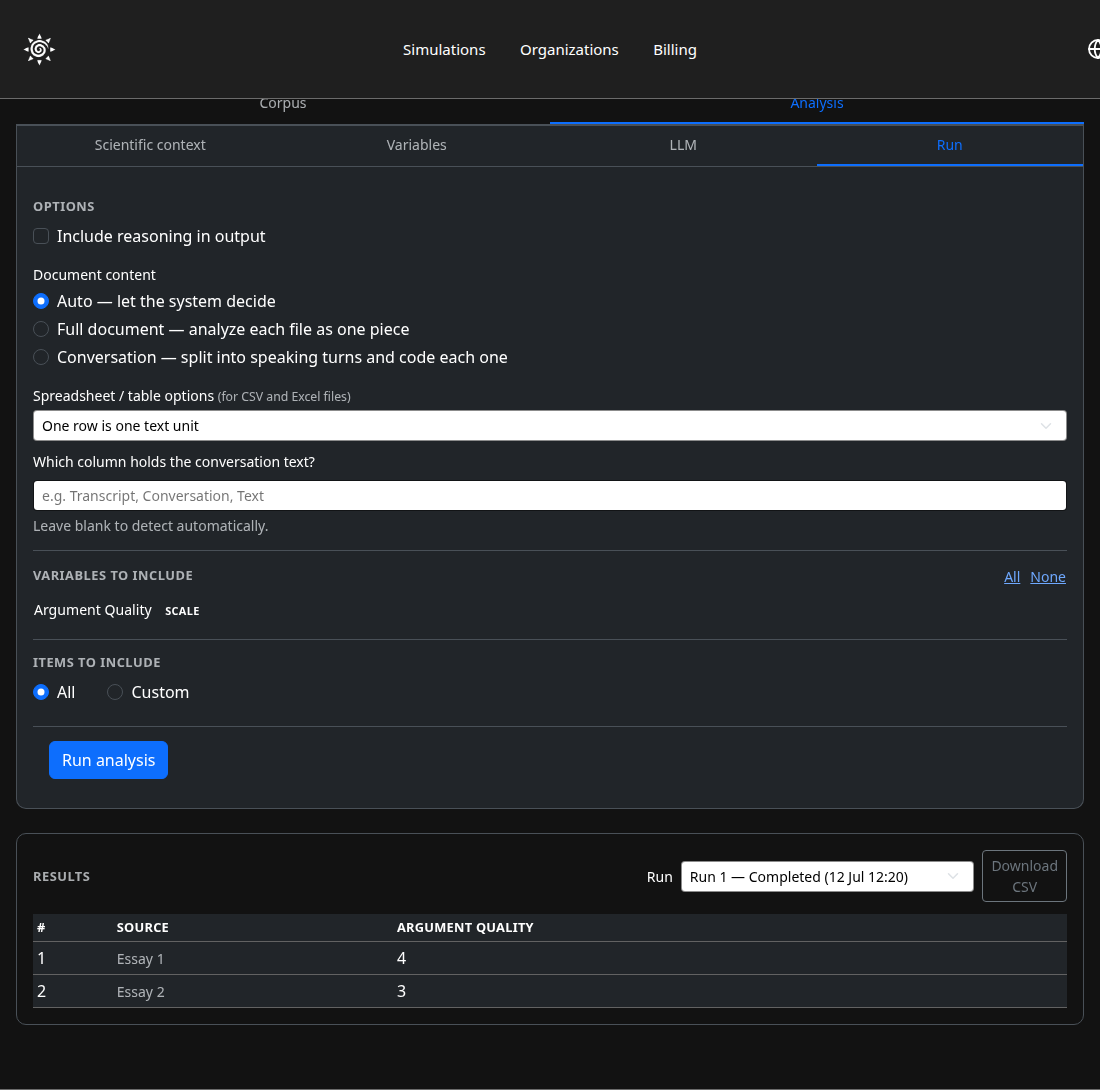
Understanding your results
Text Analysis
Not everything worth analysing came from a Prisma conversation — essays, transcripts, and documents deserve the same AI scoring.
Upload documents into a project, define your own columns — whatever you want the AI to extract or score — then run it and export the results as a CSV.
1
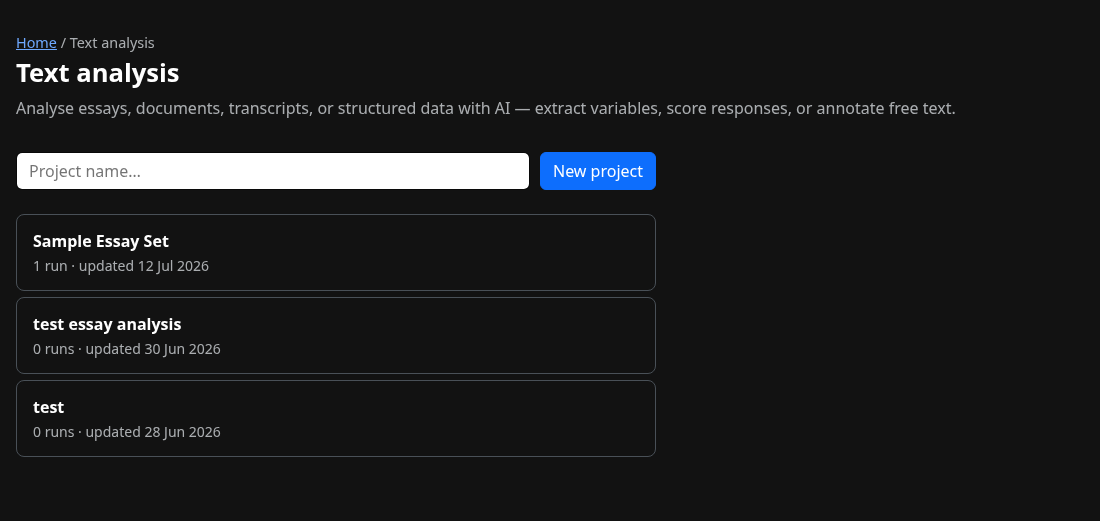
Start a project
Give your project a name — it holds the documents, the columns you define, and every run you execute against them.
2
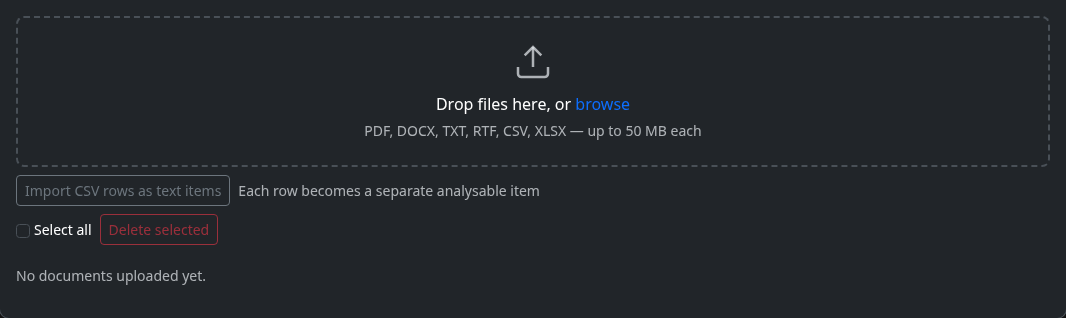
Upload your documents
Drop in essays, transcripts, or any text, PDF, or spreadsheet files — or paste text directly instead, if you don't have files.
3
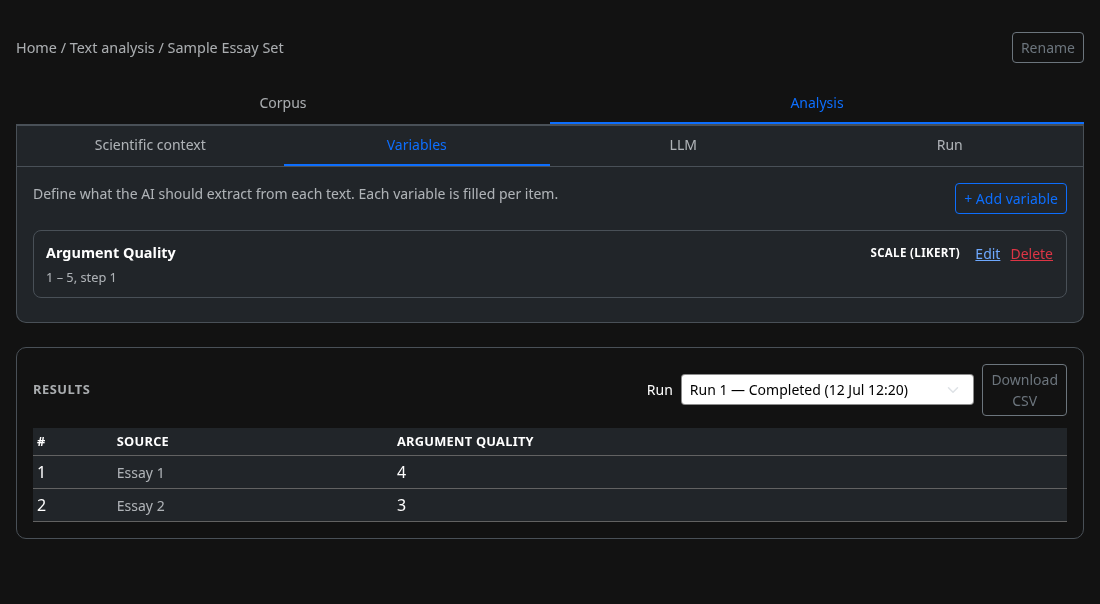
Define your columns
Each column is something you want scored or extracted — a scale, a category, a yes/no, or free text.
4
Run it and get your results
Run across every document, watch progress, then browse the scored table or download it as a CSV.